Business Plans

Business broadband
without the runaround.

Business broadband
without the runaround.

Fast fibre for video calls, cloud apps, EFTPOS, VoIP, backups, shared
drives and busy teams. Static IP included. Unlimited data.
Priority support. Ordered online in minutes.

Fast fibre for video calls, cloud apps,
EFTPOS, VoIP, backups, shared drives and
busy teams. Static IP included. Unlimited data. Priority support. Ordered online in minutes.

Choose the business plan
that fits your address.

Enter your address first and we will show the plans available at your premises.
Start with reliable business fibre, step up to maximum regular fibre, or go all in with
HyperNet Business where it is available.

Enter your address first and we will show the
plans available at your premises.
Start with reliable business fibre, step up to
maximum regular fibre, or go all in with
HyperNet Business where it is available.

Business Plans coming soon.e

Many businesses stay on standard fibre because changing feels hard.

HyperNet Business is for teams that have outgrown waiting – waiting for cloud backups, waiting for uploads, waiting for large files, waiting for video calls to behave. More speed both ways. More headroom for the team. Less runaround.

Do the maths on
performance,
not just the bill.

Why 360Net
for Business

A connection built around work

Video calls, cloud apps, EFTPOS, VoIP, CCTV,
backups and shared drives all need a
connection with headroom. That is what these
plans are built for.

Static IP, included

Position your router centrally in your home, away from obstructions and interference
sources, to improve Wi-Fi coverage.

No Quote Games

Business broadband should be easy to understand. Once pricing is final, plans should show clear GST treatment, term options, and any early-termination rules upfront.

Human support

Get real phone and live chat support.

Award-winning value

NZ Compare Best Value Broadband Provider

2024 & 2025 - now bringing the same value-first
approach to business broadband

Award-winning value

NZ Compare Best Value Broadband Provider

2024 & 2025 - now bringing the same value-first
approach to business broadband.

HyperNet Business
- It’s faster.
It’s that simple.

Up to 4000/4000 Mbps for businesses that move big files, back up to the cloud, run busy teams, or simply do not want their internet to be the bottleneck. And because HyperNet installs can take time, Interim Connect can get you online on a standard fibre connection first where available, then move you to full HyperNet once the install is complete.

How switching works

01.

Check and order.

Enter your business address, choose the plan available at your premises, pick your term, and complete the order online. Have your business or trading name handy. NZBN is optional but helpful.

02.

We line it up.

360Net places the order with the local fibre company and emails updates as the order progresses. Keep your current provider active until your new 360Net service is live.

03.

You are live.

Connect your 360Net router or your own compatible router and confirm everything is working. Once your 360Net service is running, cancel your old plan directly with your previous provider. (Check for notice periods with your current provider and act timely)

A router that matches
the plan - or bring your
own.

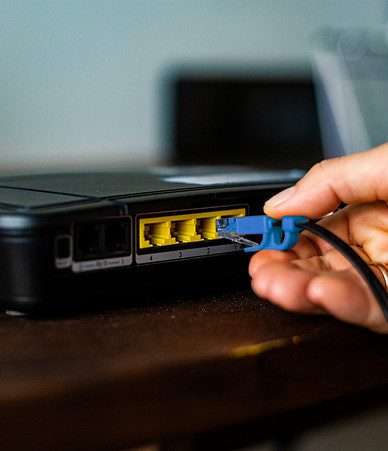
Take a 360Net router designed for your plan, or use your own router or firewall.

For HyperNet Business, make sure your gear has multi-gig ports and Wi-Fi that can actually use the speed you are paying for. We will email your connection settings with your order confirmation.

Your business, up to speed.

Business fibre, HyperNet speed, static IP included, and priority
support from a Kiwi broadband provider built around value.

Business FAQs

What speeds will my business get?
 

It depends on which fibre network serves your address. In Chorus areas, 360 Business Fibre runs at 500/500 Mbps; in Enable areas, it runs at 300/300 Mbps. Business Max delivers up to 900/500 Mbps, and HyperNet Business delivers 2000/2000 or 4000/4000 Mbps in HyperNet coverage areas. Enter your address and we will show what is available.

HyperNet is not available everywhere. You can check the availability in your area by entering your address in our address search tool on the 360Net website.

Wi-Fi 7 is the latest wireless networking technology that offers faster speeds, lower latency, and better performance compared to previous Wi-Fi standards. It supports the 6GHz band, providing more bandwidth and reducing interference from other devices.

✔ Higher speeds: Up to 4x faster than Wi-Fi 6..

✔ Lower latency: Improved real-time performance for gaming and video calls.

✔ Better coverage: Enhanced range and signal strength for larger homes and offices.

✔ Supports more devices: Handles multiple connected devices without compromising on speed or performance.

Yes, you can use your own router, as long as it is compatible with HyperNet’s connection and supports Wi-Fi 7 for optimal performance. However, to ensure you get the best speeds and service, we recommend using a Wi-Fi 7 compatible router. If you’re unsure whether your router is compatible, feel free to reach out to our support team for assistance.

The average download and upload speeds for HyperNet are as follows:

✔ HyperNet 2000/2000: 2000 Mbps download and 2000 Mbps upload

✔ HyperNet 4000/4000: 4000 Mbps download and 4000 Mbps upload

Actual speeds may vary based on network conditions and other factors.

If you’re not experiencing the promised speeds, please check the following: 
Router compatibility: Ensure your router supports Wi-Fi 7 for maximum performance. If you’re using an older router, we recommend upgrading to a Wi-Fi 7 compatible model.
Connection type: For the fastest speeds, we recommend using a wired Ethernet connection, especially for activities like gaming or large file downloads.
Proximity to router: If you’re using Wi-Fi, make sure you’re within range of the router and that there are no obstructions or interference, such as thick walls or other electronic devices.
Network congestion: If multiple devices are connected to your network, it could impact your speed. Try disconnecting some devices to see if the speed improves. If you’ve checked these factors and are still experiencing slow speeds, please contact our Technical Support Team so we can troubleshoot and resolve the issue.

During peak hours, you may experience slower speeds due to increased demand. If the slow speeds persist, contact customer support so we can investigate and address any ongoing issues.

If your service is interrupted, first check your equipment and internet connection. If the issue persists, please contact our customer support team to report the problem, and we will assist you in resolving it as quickly as possible.

Yes! HyperNet provides a secure connection for all your online activities. We also recommend using a firewall and up-to-date antivirus software for added protection.

You can check your current internet speed using various speed test tools available online (such as Speedtest.net). For the most accurate results, make sure you’re connected directly via Ethernet cable or in close proximity to your Wi-Fi router.

Get Connected

Find the
right plan.